Ceiling-mounted launch monitors eliminate floor clutter, free up space in your sim bay, and capture data from above the hitting area. Here are the best overhead options at every price point — from bracket-adaptable tabletop units to purpose-built ceiling systems.
📐 Ceiling-mounted picks
🏗️ Installation tips included
💰 $2,499 – $13,995 range
📐 Why Go Overhead?
Overhead (ceiling-mounted) launch monitors sit above the hitting area and look down at the ball and club at impact. Unlike behind-the-ball units that sit on the floor, overhead monitors eliminate floor clutter, remove any risk of tripping over or bumping your unit mid-swing, and create a cleaner, more professional sim bay. They capture everything at impact — which means no minimum room depth requirement. For permanent home simulator setups, overhead mounting is the gold standard.
There are two categories: purpose-built overhead units (designed exclusively for ceiling installation — Uneekor Eye MINI, ProTee VX, TrackMan iO) and tabletop units with overhead bracket support (designed for floor use but adaptable to ceiling mounts with official or third-party hardware — Bushnell Launch Pro, SkyTrak+, Mevo+). Purpose-built units generally deliver cleaner calibration and better long-term reliability from overhead positions.
Purpose-Built Overhead Units
These units are engineered from the ground up for ceiling installation. Mounting hardware is included or designed specifically for overhead use.
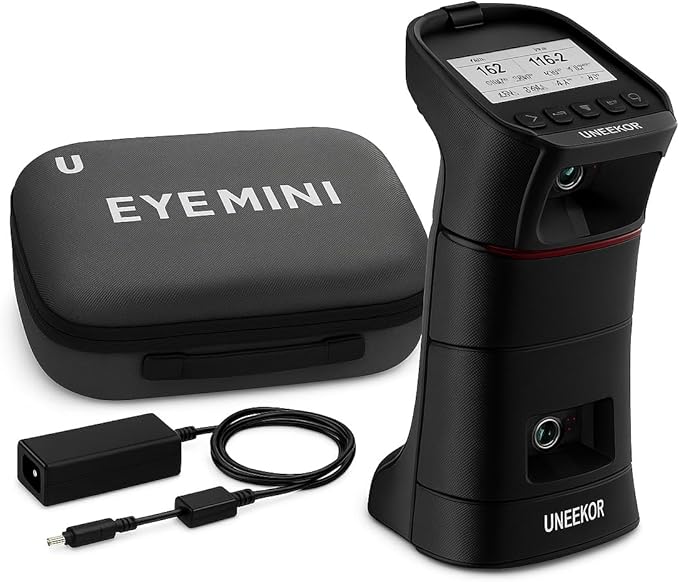
#1 — Uneekor Eye MINI
⭐ Best Value OverheadPurpose-BuiltNo Subscription
Uneekor Eye MINI — around $4,500
Purpose-built ceiling-mount. Dual IR cameras. 19+ metrics. No subscription required.
The Uneekor Eye MINI is designed from the ground up as an overhead, ceiling-mounted camera system. It uses dual high-speed IR cameras to capture ball and club data at impact, tracking 19+ metrics including ball speed, launch angle, spin rate, spin axis, carry distance, and club path. Because it's purpose-built for overhead installation, alignment and calibration are more straightforward than bracket-adapted tabletop units.
Spin is directly measured (not estimated) — a meaningful accuracy advantage over radar-based units at similar price points. The Eye MINI integrates with E6 Connect, TGC 2019, and Uneekor's own View software, with no required ongoing subscription. For a dedicated sim room in the $4,000–$5,000 budget range, it's widely considered the go-to purpose-built overhead option. Read our full review.
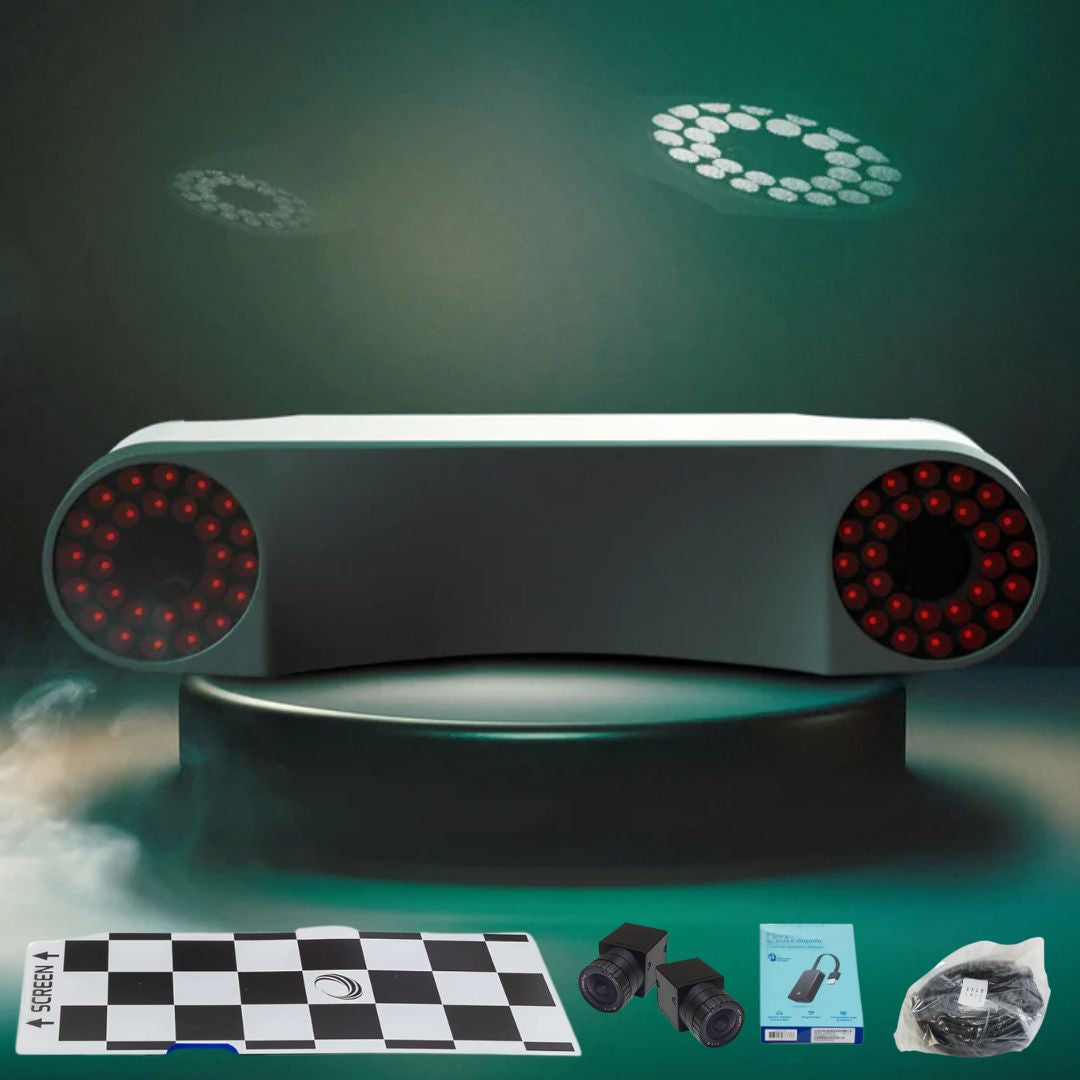
The ProTee VX is a ceiling-mounted launch monitor combining photometric and IR camera technology. Mounted overhead, it captures 24 data metrics at impact — including all major ball data and full club data — with directly measured spin. The dual-sensor approach is designed to deliver reliable data consistency across different lighting conditions, which is a known challenge for purely photometric overhead systems.
At $6,500 it sits above the Eye MINI and competes with commercial-grade systems. ProTee is best known in the European simulator market and integrates natively with ProTee United's simulation platform, with compatibility for other major sim software. For serious sim room builds where the Eye MINI's feature set isn't enough, the VX is the logical step up before TrackMan pricing.
TrackMan's home/indoor ceiling-mountable unit. The pro-grade ceiling standard for high-end sim bays.
The TrackMan iO is TrackMan's dedicated home and indoor unit, priced around $13,995 and designed to be ceiling-mountable. It brings TrackMan's dual-radar technology — the same system used on tour and at fitting studios worldwide — into a form factor suitable for permanent sim bay installation. Data accuracy is benchmark-level: TrackMan is the reference standard that other launch monitors are compared against.
This is not a practical option for most home sim builders given the price. But for commercial facilities, high-end private sim rooms, or fitters who need the most trusted data in the industry from a ceiling position, the iO is the ceiling-mounted answer. (The TrackMan 4 at $24,995 is the outdoor dual-radar flagship; the iO is the indoor/home-optimized variant at a lower — though still premium — price point.)
Check current pricing directly with TrackMan — pricing and availability may vary by region and authorized dealer.
Important distinction: The units below were designed primarily as tabletop (floor-level, behind-the-ball) launch monitors. They can be ceiling-mounted using official or third-party bracket hardware, but they are not purpose-built overhead systems. Calibration is workable, but expect more setup complexity than the purpose-built units above.
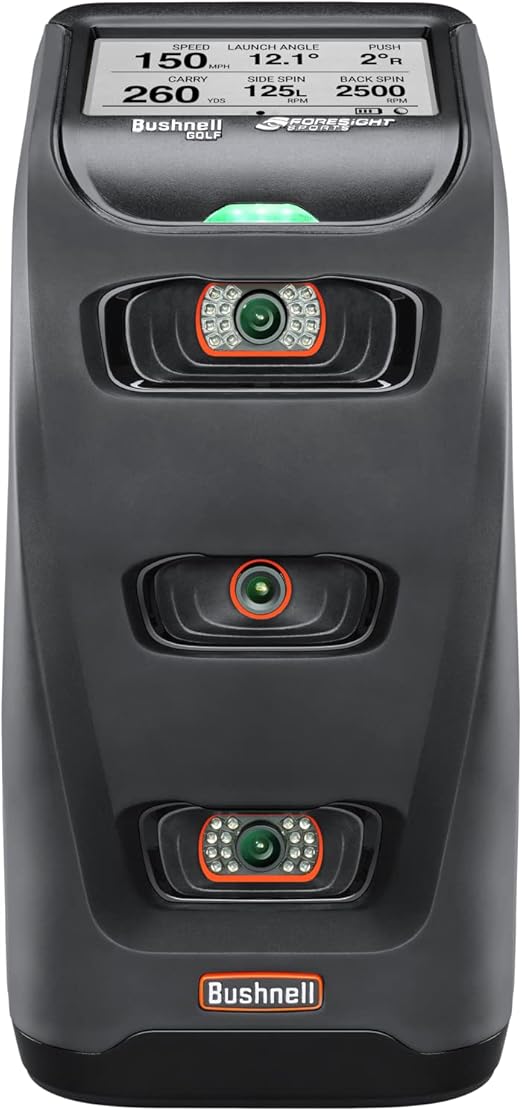
Foresight GC3 internals. Official overhead mount available. Designed as tabletop — ceiling mounting is supported but secondary.
The Bushnell Launch Pro uses the same photometric platform as the Foresight GC3 — the same camera system and impact-capture technology — at a significantly lower consumer price point. Bushnell offers an official overhead mount kit that angles the unit down from the ceiling toward the hitting zone, making it the most affordable entry point for ceiling-positioned photometric data.
Key context: this is primarily a tabletop unit. The overhead mount is a supported accessory, not the native use case. Once ceiling-mounted and calibrated, it captures ball speed, launch angle, spin rate, spin axis, and carry distance with genuine photometric accuracy. No ball flight needed — everything is measured at impact. Some advanced features require a subscription, but core data quality is strong for the price tier.
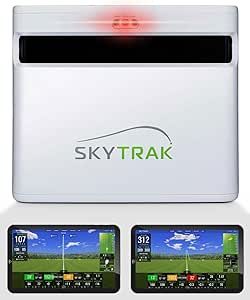
SkyTrak+ — around $1,995 (check current availability)
Discontinued. Successor is the SkyTrak MAX. Tabletop photometric unit — ceiling mounting via third-party brackets.
Note: The SkyTrak+ has been discontinued. The successor model is the SkyTrak MAX. If you're shopping new, look for the SkyTrak MAX rather than the SkyTrak+. The information below applies to the SkyTrak+ for reference.
The SkyTrak+ is a photometric tabletop launch monitor. Ceiling mounting is possible via third-party brackets, but it was not designed for overhead installation — it's an adaptation rather than a native feature. When floor-mounted it performs well; overhead use requires careful alignment and is less common. For a purpose-built overhead installation, the Uneekor Eye MINI is a better-suited option at a comparable price tier.
27 metrics. 3D Doppler radar. Overhead mounting via third-party brackets — not a native overhead design.
The FlightScope Mevo+ is primarily a behind-the-ball radar unit. It can be ceiling-mounted using third-party overhead brackets (available from several golf simulator retailers), but this is an adaptation — the Mevo+ was designed as a floor unit and overhead installation requires more careful calibration and alignment than purpose-built ceiling systems.
When set up correctly in an overhead position, it uses its 3D Doppler radar to capture 27 data metrics including club and ball data. The overhead placement works in tight sim bays where floor space behind the hitting area is limited. The 27-metric data set is among the deepest available in this price range, but for a dedicated permanent ceiling installation, the purpose-built units above are a cleaner choice.
The High-End Benchmark: Foresight GC3 (around $6,999) and GCQuad are purpose-built overhead photometric units used by tour pros and commercial fitting studios. They deliver the most accurate impact data available at consumer-accessible price points, but at price points suited to commercial facilities and high-end builds. If budget is not a constraint, the GCQuad ceiling-mounted setup is widely regarded as the overhead gold standard.
Overhead vs Behind-the-Ball
Factor
📐 Overhead (Ceiling-Mounted)
📡 Behind-the-Ball (Floor)
Floor Space
Zero — mounted above ✓
Requires 5–8 ft behind ball
Trip/Bump Risk
None ✓
Unit on floor can be kicked
Setup per Session
None — always ready ✓
Must place and align each time
Ball Flight Required
No — measures at impact ✓
Most need partial ball flight
Portability
Fixed installation ✗
Take anywhere
Installation
Requires mounting hardware + calibration
No installation needed
Outdoor Use
Indoor only ✗
Indoor + outdoor ✓
Best For
Permanent sim bays
Portable / multi-use
Installation Tips
Getting an overhead launch monitor mounted correctly is the difference between accurate data and frustrating misreads. Here's what you need to know before drilling into your ceiling.
Ceiling Height: Most overhead units need 8.5–10 feet of ceiling height minimum. The unit typically mounts 3–4 feet above the hitting mat, angled downward at the impact zone. Lower ceilings can work but may limit club selection (driver swings need more clearance).
Mounting Hardware: Use the manufacturer's official mount kit when available. For third-party brackets, look for adjustable angle mounts rated for the weight of your unit. Always mount into a ceiling joist or use appropriate toggle bolts — drywall anchors alone are not sufficient for a device installed near active swing paths.
Alignment: The unit must be centered directly above (or slightly in front of) the ball position, aimed squarely at the impact zone. Most units include calibration software — run it after every installation or adjustment. Even 1–2 degrees of misalignment can introduce meaningful data errors.
Lighting: Photometric units (Bushnell Launch Pro, Uneekor Eye MINI, ProTee VX) rely on high-speed cameras and are sensitive to lighting. Avoid placing the unit where direct overhead lights create harsh shadows on the hitting zone. Diffused, even lighting produces the best results.
Pro tip: Before drilling, tape a piece of cardboard the size of your unit to the ceiling in the planned position. Take a few practice swings and check that nothing in your swing arc comes close. Adjust position if needed, then mount permanently.
Related Guides
Editorial note: Prices and availability change — always check current pricing before purchasing. Affiliate links earn a small commission at no cost to you.
FAQ
An overhead (or ceiling-mounted) launch monitor is a unit that mounts above the hitting area, looking down at the ball and club at impact. Unlike behind-the-ball units that sit on the floor, overhead monitors capture data from above — eliminating floor clutter and the need for ball flight tracking. They're ideal for permanent home simulator setups.
Most overhead units work best with 8.5–10 feet of ceiling height. The unit mounts 3–4 feet above the hitting mat, and you need enough clearance above that for your full swing arc. Standard 8-foot ceilings can work but may limit driver use for taller golfers. Measure your swing arc before purchasing.
No — overhead launch monitors are designed for permanent indoor installations. They require a ceiling (or overhead structure) for mounting and are not weather-resistant. If you need outdoor use, choose a behind-the-ball unit like the Garmin R10 or FlightScope Mevo+ in its standard floor configuration.
The Uneekor Eye MINI (around $4,500) is the most affordable purpose-built overhead camera system. The Bushnell Launch Pro (around $2,499) is cheaper and has an official ceiling mount kit, but it was designed as a tabletop unit — the overhead installation is a supported accessory use case rather than the primary design. For a dedicated ceiling-mount build, the Eye MINI is the cleaner starting point.
The SkyTrak+ has been discontinued. The current model is the SkyTrak MAX. If you are shopping for a new unit, look for the SkyTrak MAX — the SkyTrak+ is no longer in regular production and availability is limited to existing inventory.
Never Miss a Review or Price Drop
New launch monitor reviews, gear deals, and price drops — straight to your inbox when they happen. Free bonus: my golf distance cheat sheet, instantly.